All your Claude accounts. One workspace.
Claude Switcher moves the Claude desktop app between your accounts in one click. Your sidebar, sessions, skills, and settings stay exactly where you left them.
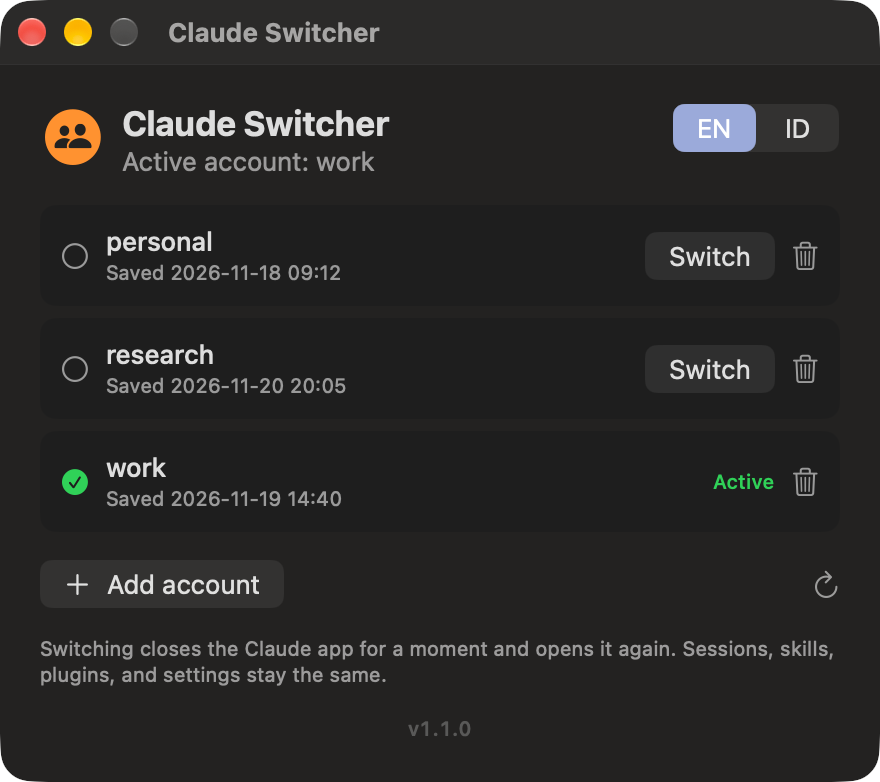
Claude Switcher moves the Claude desktop app between your accounts in one click. Your sidebar, sessions, skills, and settings stay exactly where you left them.
How it works
Each account keeps its own login. Everything else stays shared, so you pick up a session on one account and finish it on another.
Sign in to Claude as usual, open Claude Switcher, and save the account under a name you choose.
Add a new profile. Claude reopens signed out, and you sign in through your browser like you always do.
Pick an account from the window or the menu bar. Claude restarts on that account in a few seconds.
A short demo of adding and switching accounts will play here.
Features
Claude Switcher swaps the few files that hold your sign-in and leaves the rest of your setup alone.
FAQ
No. It only acts when you switch. Keep it running if you want the menu bar icon.
No. Accounts take turns. A switch restarts the Claude app, so finish or pause any running task first.
The app has no Apple Developer signature. Right-click the app, choose Open, and confirm with Open. macOS remembers your choice.
If an update changes how Claude stores its login, Claude Switcher refuses to load the affected profile instead of guessing. Sign in to that account again and save it.
Anthropic's Consumer Terms do not allow one person to use multiple accounts to get around usage limits. Use separate accounts for separate purposes, such as personal projects and your job.
Download Claude Switcher and set up your accounts in a couple of minutes.
Download for Mac